
Introducing Actions: OpenTelemetry Collector Configuration Made Easy
An introduction to Actions, a new feature in Odigos that simplifies OpenTelemetry Collector configuration

At Odigos, our primary mission is to simplify OpenTelemetry, making it accessible and easy to use for every developer. A significant challenge in the OpenTelemetry ecosystem is the complex configuration of the OpenTelemetry Collector, typically used to modify telemetry data as it transits from applications to an observability backend.
To address this challenge, we are excited to introduce a new feature: Odigos Actions, which dramatically simplifies OpenTelemetry configuration.
Why the OpenTelemetry Collector Configuration is Complex
The OpenTelemetry Collector configuration file can quickly become long and complex due to the many options available. There are currently over 25 processors available, each with its own configuration options, making the number of possible configurations very large.
How Odigos Actions Simplifies the Configuration
Odigos Actions are driven by use-cases, which are common scenarios that developers or platform engineers want to achieve. Each action is a pre-configured set of processors, exporters, and other components that are commonly used together. Additionally, Odigos dynamically changes the deployment topology of the collectors to fulfill the use-case in the most efficient way.
A Simple Use-Case: Removing Sensitive Data
One of the most common use-cases is to remove sensitive data from telemetry data before it is sent to the observability backend. Let's compare the configuration of the OpenTelemetry Collector to remove sensitive data with and without Odigos Actions.
Without Odigos Actions:
receivers:
  otlp:
    protocols:
      grpc:
      http:

processors:
  attributes:
    actions:
      - key: http.request.header.authorization
        action: delete
      - key: user.password
        action: delete

exporters:
  otlp:
    endpoint: 'localhost:4317'

service:
  pipelines:
    traces:
      receivers: [otlp]
      processors: [attributes]
      exporters: [otlp]
This configuration sets up the Collector to receive telemetry data via the OTLP protocol, use the attributes processor to delete sensitive fields, and then export the sanitized data to an OTLP endpoint.
With Odigos Actions:
From the UI
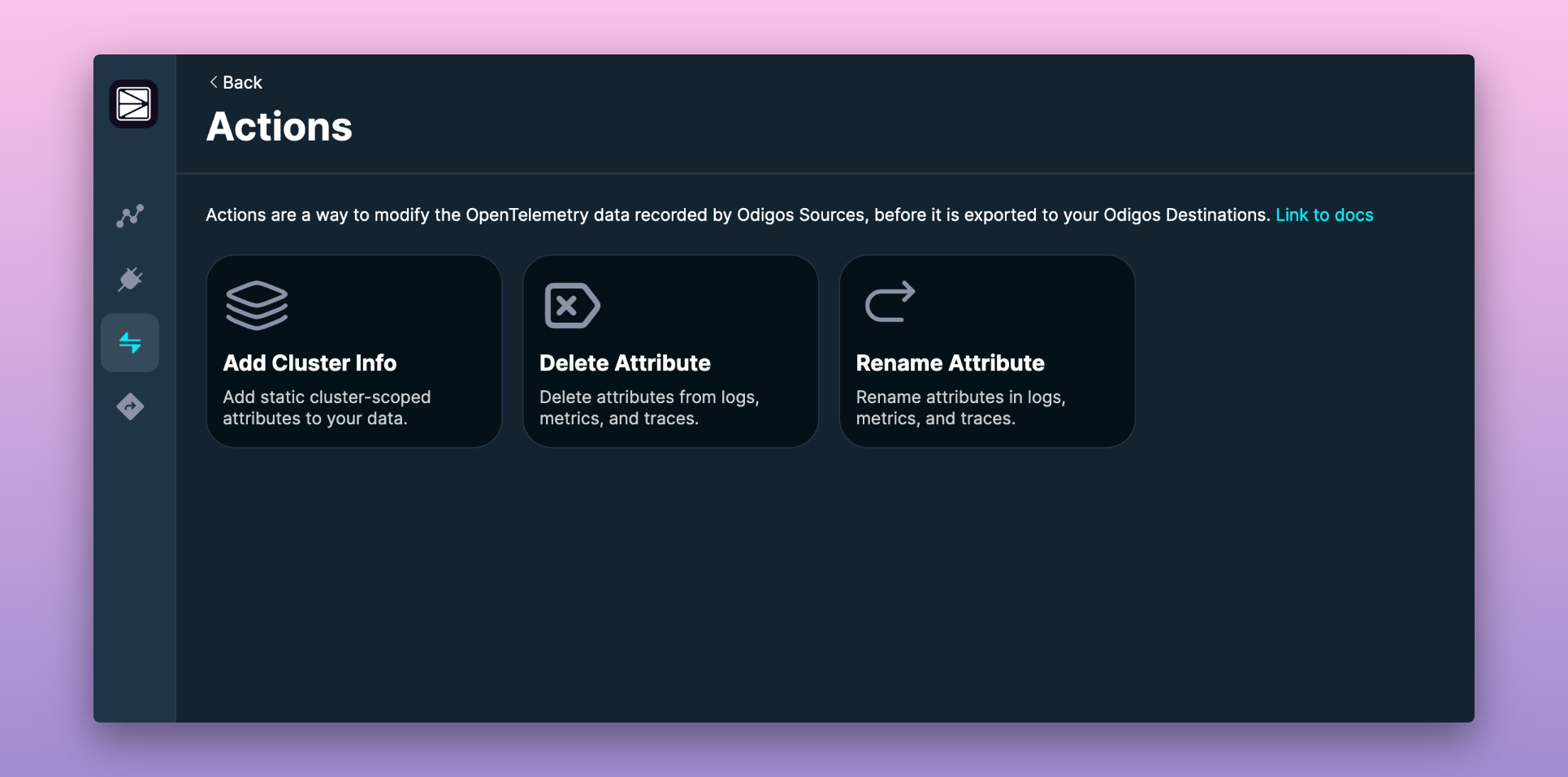
Go to the Odigos Actions screen and select the Delete Attribute action.
In the following screen, select the attributes you want to delete, add a note to describe the action, and click Create Action.
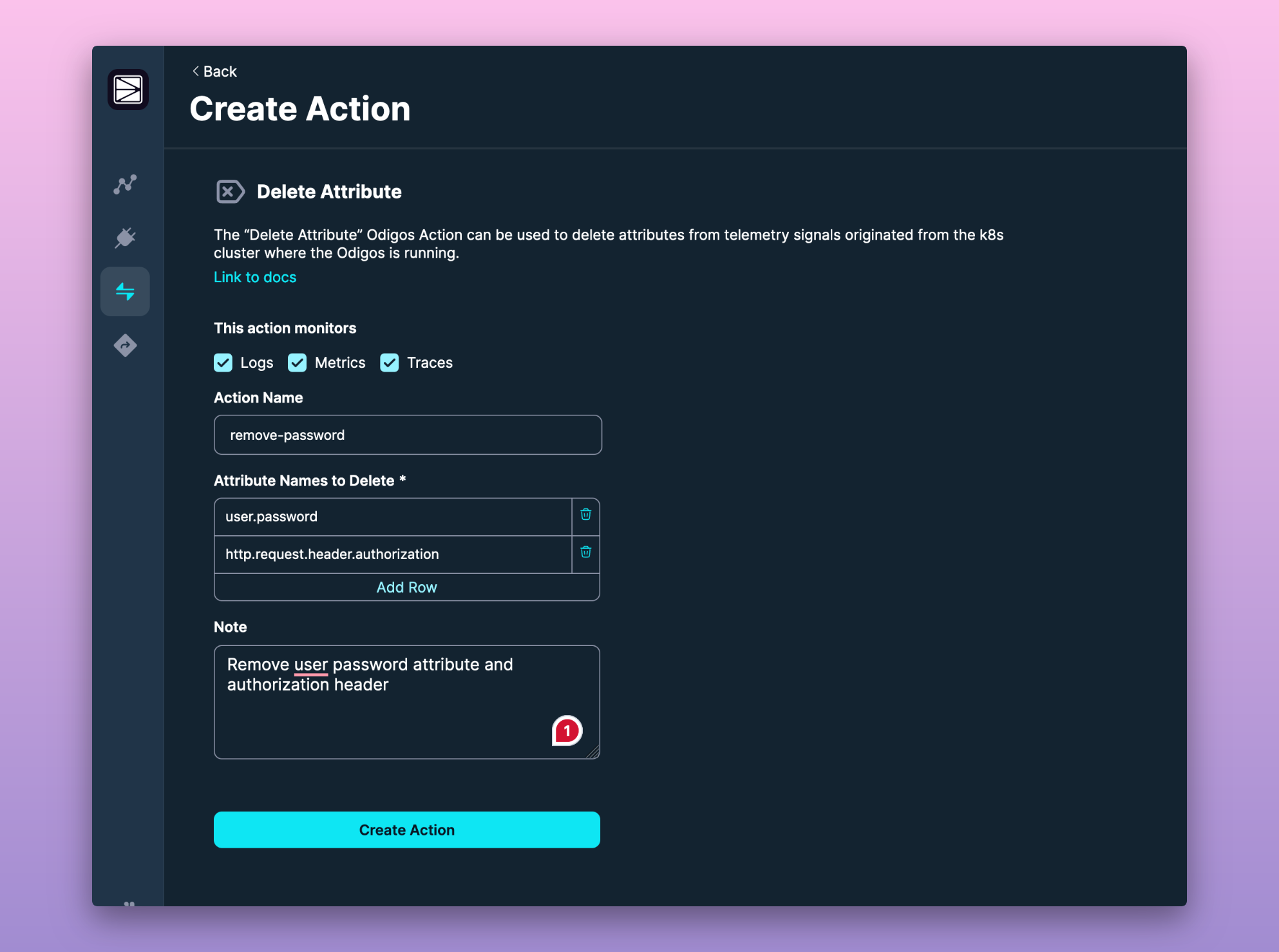
From YAML Configuration
To achieve the same result using Odigos Actions, you can create a DeleteAttribute custom resource in your Kubernetes cluster. Here is an example of the YAML configuration for the DeleteAttribute action:
apiVersion: actions.odigos.io/v1alpha1
kind: DeleteAttribute
metadata:
  name: da-lzldl
  namespace: odigos-system
spec:
  actionName: remove-password
  attributeNamesToDelete:
    - user.password
    - http.request.header.authorization
  notes: Remove user password attribute and authorization header
  signals:
    - LOGS
    - METRICS
    - TRACES
More to Come
This is just the beginning of what Odigos Actions can do. We are working on adding more use-cases and making it easier to create custom actions. Stay tuned for more updates!
Do you have a use-case you would like to see in Odigos Actions? Let us know by opening an issue on our GitHub repository or by reaching out to us on our Slack channel.
More from the blog.
Stop guessing. Ask production.
One agent. One service. See how Odigos helps answer a production question.